Stay with the thing you opened your Mac to do.
Lockdown starts with one question: what are you working on? It keeps that answer visible, helps block the drift, and writes the session to a local time log.
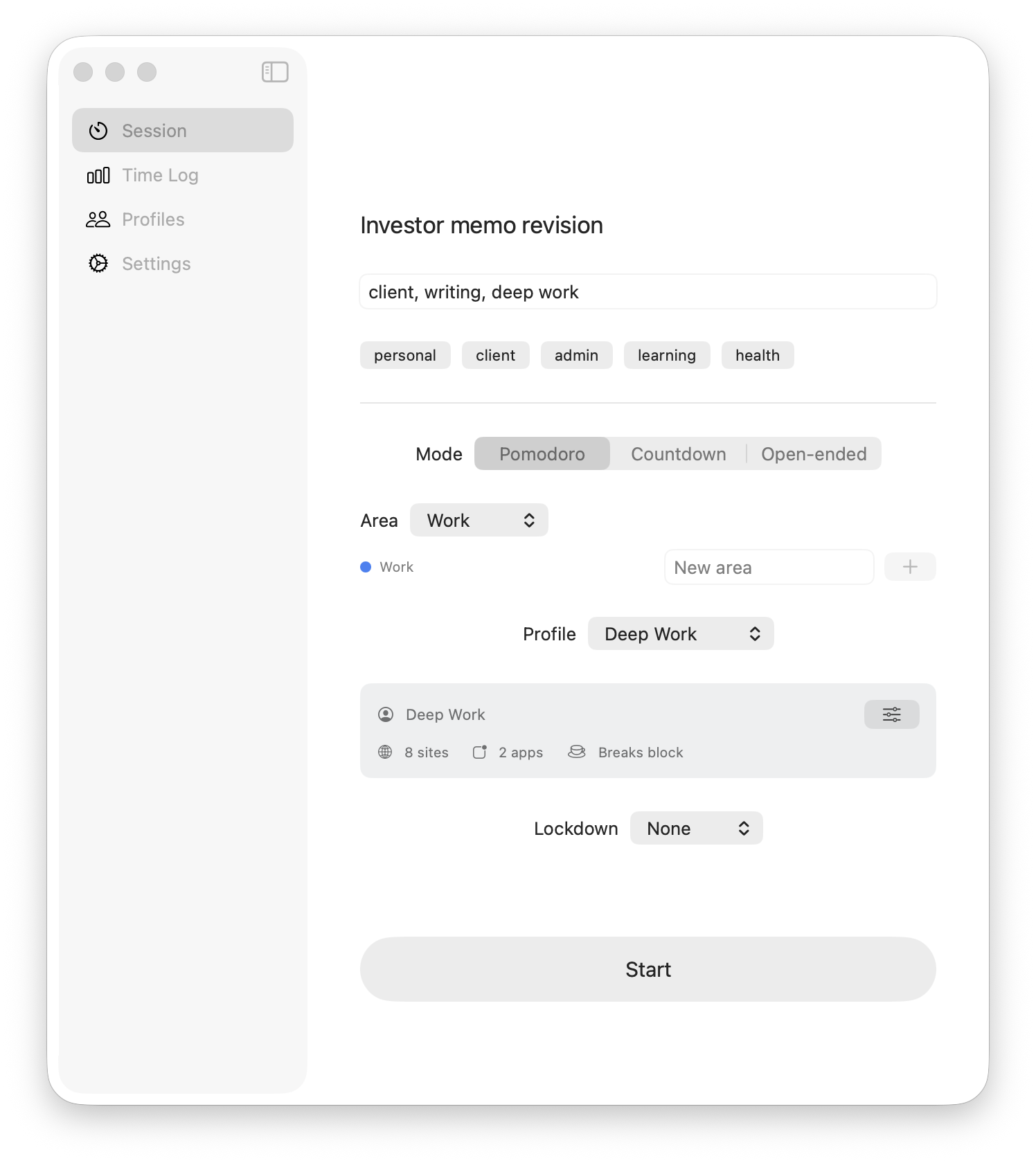 One screen. One question. Begin.
Familiar?
- You opened Slack to send one message, and that was forty minutes ago.
- You started three Pomodoros today and finished zero.
- You bought a focus app in 2023, used it for nine days, and cannot remember its name.
- You set a timer, opened a new tab to check one thing, and the timer is still running in a window you can't see.
- You can describe your project plan to a friend, but you cannot start it.
Lockdown is built for the brain that does that. No streaks. No shame. No second app to maintain.
What happens when you press start.
Four steps. None of them require a project plan, a tag system, or a morning routine. You can ignore everything except the first one.
-
01
Name the thing.
Type the human version: "review proposal", "debug auth", "write the deck".
-
02
Press start.
One button. Re-use the last setup, or skip the configuration entirely.
-
03
Stay with it.
Your intent sits in the menu bar and a small floating widget. When you drift, you can find your way back.
-
04
See where it went.
Sessions write themselves to a local log. No streaks. No shame. Just an honest record of the day.
One question. Everything else is optional.
The whole start flow is a text field and a button. Type what you're doing. Press start. Tags, Blocking Setup, timer mode, and lockdown level are right there if you want them — and quiet if you don't.
- Re-use the last session with a single keystroke
- Global hotkey starts a session from anywhere
- Pomodoro, countdown, and open-ended modes — all optional
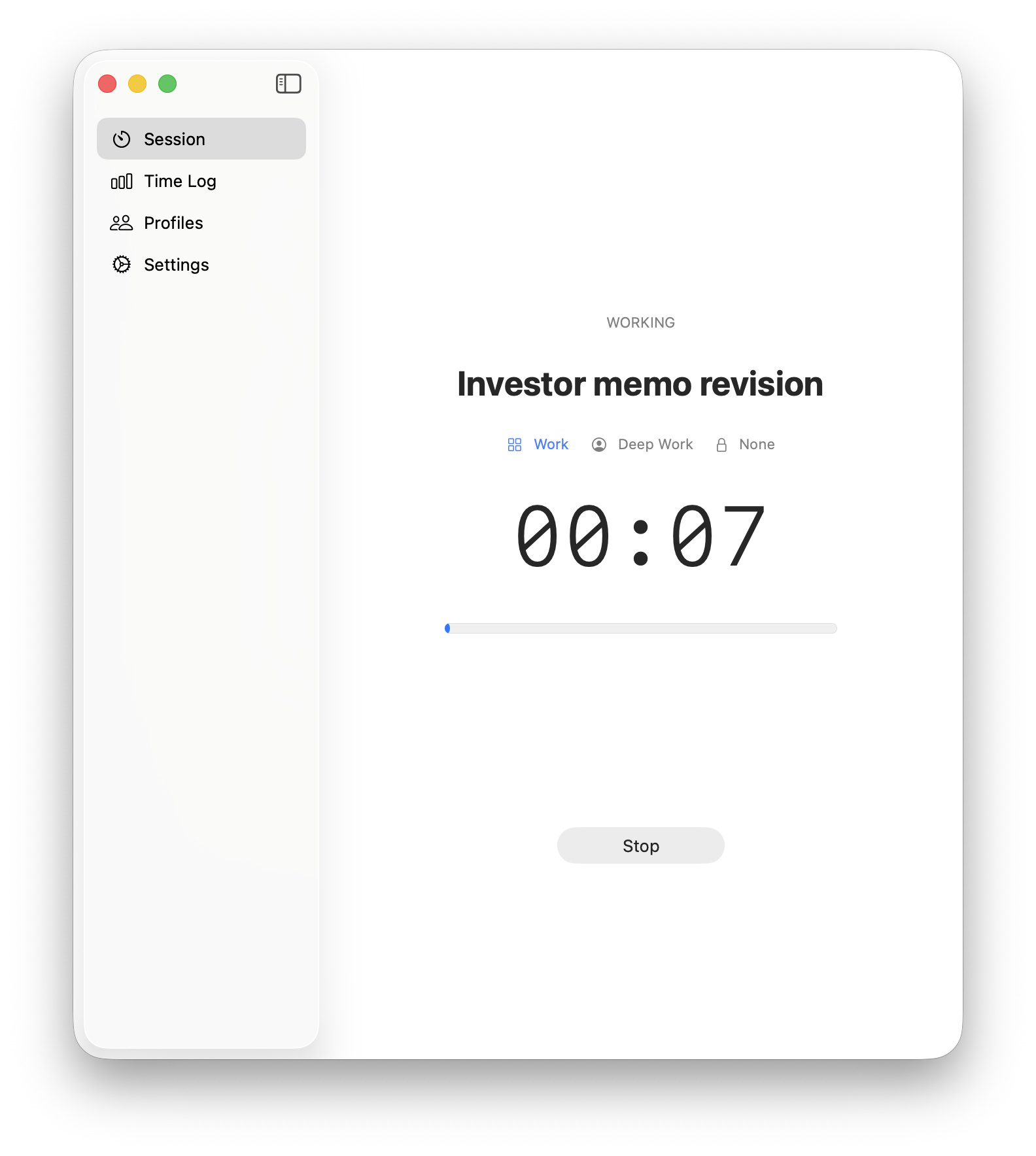
Your intent stays visible.
What you said you were doing sits in the menu bar and an always-on-top widget. When your brain wanders into a tab, the answer to "what was I doing?" is already on the screen.
- Menu-bar status with live elapsed time
- Floating session indicator you can park anywhere
- Blocking is scoped to the session instead of running all day
When you forget to start, Lockdown can notice.
If you've been active on your Mac without a running session, Lockdown can show a small prompt: start now, snooze, or ignore it for the day. It is a reminder, not a scolding.
- Configurable first prompt and repeat timing
- Start Now opens the quick-start flow
- Snooze and Ignore Today keep the nudge under your control
Start tracking?
You have been active for 18 minutes without a running session.
See where the hours actually went.
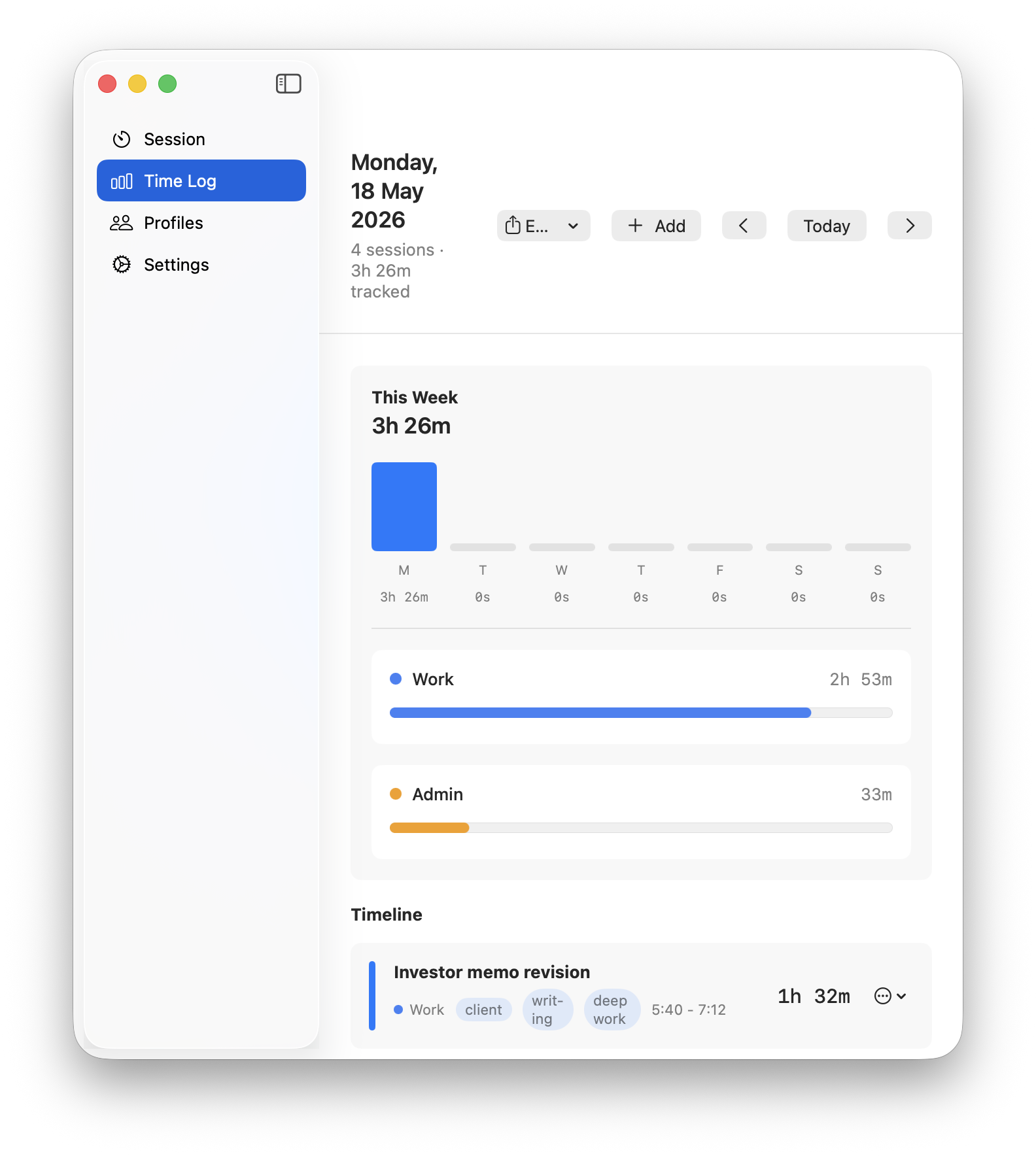
Every session writes itself to a local SQLite file. At the end of the week, you can look back without lying to yourself. Export to CSV or JSON anytime. Your session history stays on your Mac.
- Local SQLite at
~/Library/Application Support/Lockdown - CSV and JSON export built in
- Add missed sessions afterwards — no broken streaks
Not what you think it is.
- Not a task manager.
- No boards. No due dates. No hierarchy. You type what you're doing and press start. Nothing else.
- Not a streak game.
- Quit mid-session whenever you need to. The log records what happened. There is no shame screen, no dead tree, no broken chain.
- Not a subscription.
- Planned price: $39 once. No account, no cloud, no recurring charge.
- Not punitive.
- Lockdown starts with soft friction: enough to interrupt an impulse, not enough to trap you.
Planned price: $39 once.
Lockdown will be a one-time purchase when the signed macOS release is ready. The app is yours. Your session history stays on your Mac. There is no next email from us trying to sell you a tier.
Join early accessBefore you click download.
I've tried blockers. They don't work for me.
The blockers you tried didn't know what you were working on. Lockdown's blocker only activates while a session is running, and the active session has a name. When you try to open a blocked site, Lockdown quietly interrupts it and shows a small reminder from the app. No shame screen, no fake browser page.
I'll just uninstall it after a week like the others.
Maybe. Then you'll have spent $39 once instead of $84 a year forever. That's the worst case. There is no subscription to forget to cancel.
I don't need another productivity app.
Correct. Lockdown isn't one. It's a session button, a site blocker that scopes itself, and a local log file. You'll know in five minutes whether it fits.
What data leaves my Mac?
Lockdown does not send your session names, tags, or time log anywhere. Session history lives in a local SQLite file in your Library folder. CSV and JSON export are built in. No account and no cloud sync.
What permissions does it need?
The website blocker uses a macOS Network Extension, which requires one approval in System Settings → Privacy & Security on first run. App blocking uses Accessibility access. Lockdown asks for each only when the relevant feature is used, and explains why before the system prompt appears. See the privacy and permissions notes.
Will my sessions survive a crash or restart?
Yes. Active sessions are written to disk on every tick, so if the app quits or your Mac restarts, the session picks up where it was when you reopen Lockdown.
Open the Mac. Name the intent. Begin.
A focus app that gets out of the way the moment you've started.
Join early access